Organizations & Roles
Multi-tenancy and permissions - who sees what, who can do what
TL;DR: Every record has
organizationId. Four roles control access: owner > admin > member > viewer.
Organizations: Flexible Data Isolation
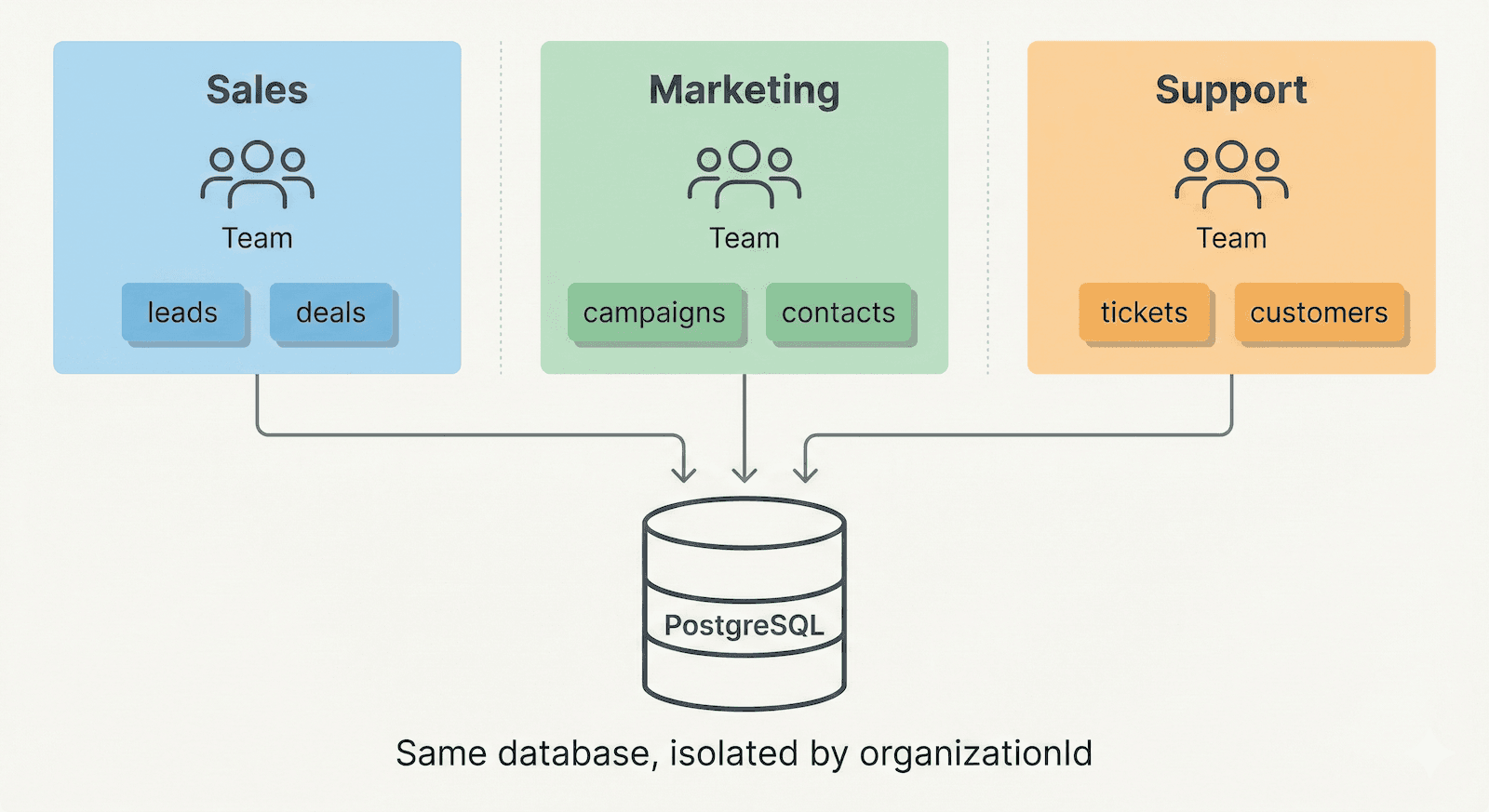
Every record in Straktur has an organizationId. What an "organization" means depends on your use case:
Departments in One Company
Sales, Marketing, and Support each need their own data:
- Sales tracks leads and deals
- Marketing manages campaigns
- Support handles tickets
Three organizations, one app, isolated data.
Regional Branches
Company operates across countries:
- Acme Poland - local clients, local team
- Acme Germany - local clients, local team
Users can belong to multiple branches and switch between them.
Single Team
Building for one team? Create one organization. Everyone belongs to it. The organizationId is still there - you just never create a second one.
Multi-tenant SaaS
Different companies using your app, completely isolated from each other. Classic SaaS model.
How it works: Every database record has an organizationId column. Every query filters by it automatically.
// When you fetch clients, you always filter by organization
const clients = await db.query.clients.findMany({
  where: eq(clients.organizationId, organizationId), // ← Always present
})
You never forget this because:
- The
organizationIdcomes from the user's session - oRPC procedures inject it automatically via context
- TypeScript complains if you try to query without it
Roles: Who Can Do What
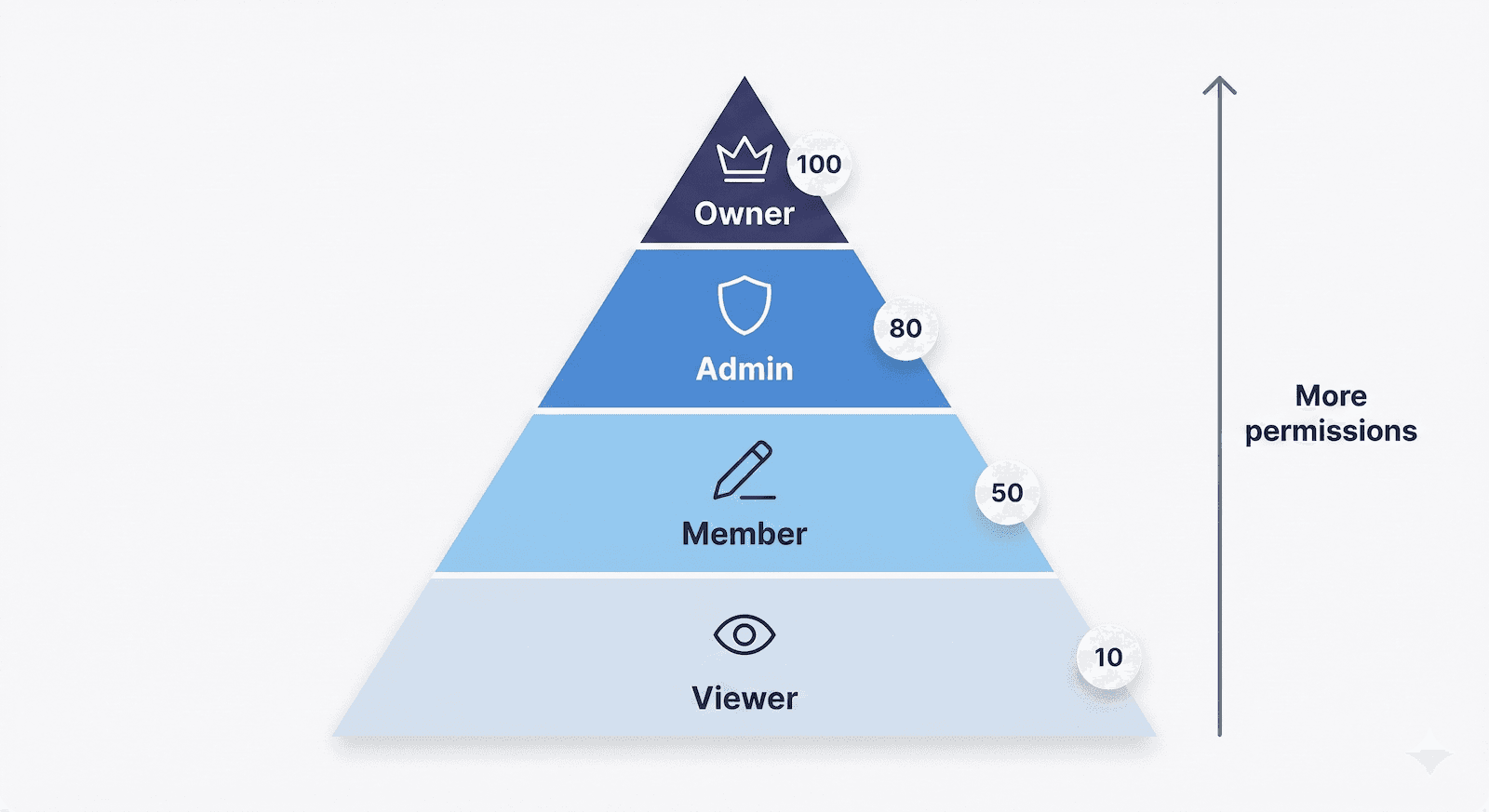
Each user has a role within their organization. Roles are hierarchical - higher roles can do everything lower roles can.
| Role | Level | Typical permissions |
|---|---|---|
| Owner | 100 | Manage billing, delete organization, transfer ownership |
| Admin | 80 | Invite/remove users, delete records, change settings |
| Member | 50 | Create and edit records, full day-to-day access |
| Viewer | 10 | Read-only access, can't modify anything |
The rule is simple: Check if user's role level is high enough.
import { hasMinRole } from "@/lib/auth/roles"

// In your code
if (hasMinRole(user.role, "admin")) {
  // User is admin OR owner (level 80+)
  // Allow delete
}
Concrete Example: Deleting a Client
Let's trace what happens when a user tries to delete a client:
- User clicks "Delete" in the UI
- UI checks role - Button only shows for admin+
- API receives request - oRPC router handles it
- Router checks permissions - Verifies
hasMinRole(role, 'admin') - Router checks organization - Ensures client belongs to user's org
- Action deletes record - Only if all checks pass
// src/server/routers/clients.ts
export const clientsRouter = router({
  delete: authedProcedure
    .input(z.object({ id: z.string() }))
    .mutation(async ({ input, context }) => {
      const { organizationId, role } = context

      // Check permission
      if (!hasMinRole(role, "admin")) {
        throw new ORPCError("FORBIDDEN")
      }

      // Delete (automatically scoped to organization)
      await deleteClient({ id: input.id, organizationId })
    }),
})
What This Means for Your Prompts
| You say... | AI knows to... |
|---|---|
| "List user's invoices" | Filter by organizationId from context |
| "Only admins can delete invoices" | Add hasMinRole(role, 'admin') check |
| "Viewers can't see the edit button" | Conditionally render based on role |
| "Add organization switcher" | User can belong to multiple orgs, switch between them |
Key Files
| File | Purpose |
|---|---|
src/lib/auth/roles.ts | Role definitions and hasMinRole() helper |
src/server/context.ts | Extracts organizationId and role from session |
src/lib/db/schema/*.ts | All tables have organizationId column |
Related
- Authentication - How sessions work
- RBAC - Detailed role configuration