Core Concepts
The mental model you need to work with Straktur
TL;DR: Features live together. Everything belongs to an organization. Roles control access. UI blocks give consistency.
Before you start prompting AI to build features, understand these four concepts. They're the foundation of every Straktur app.
The Big Picture
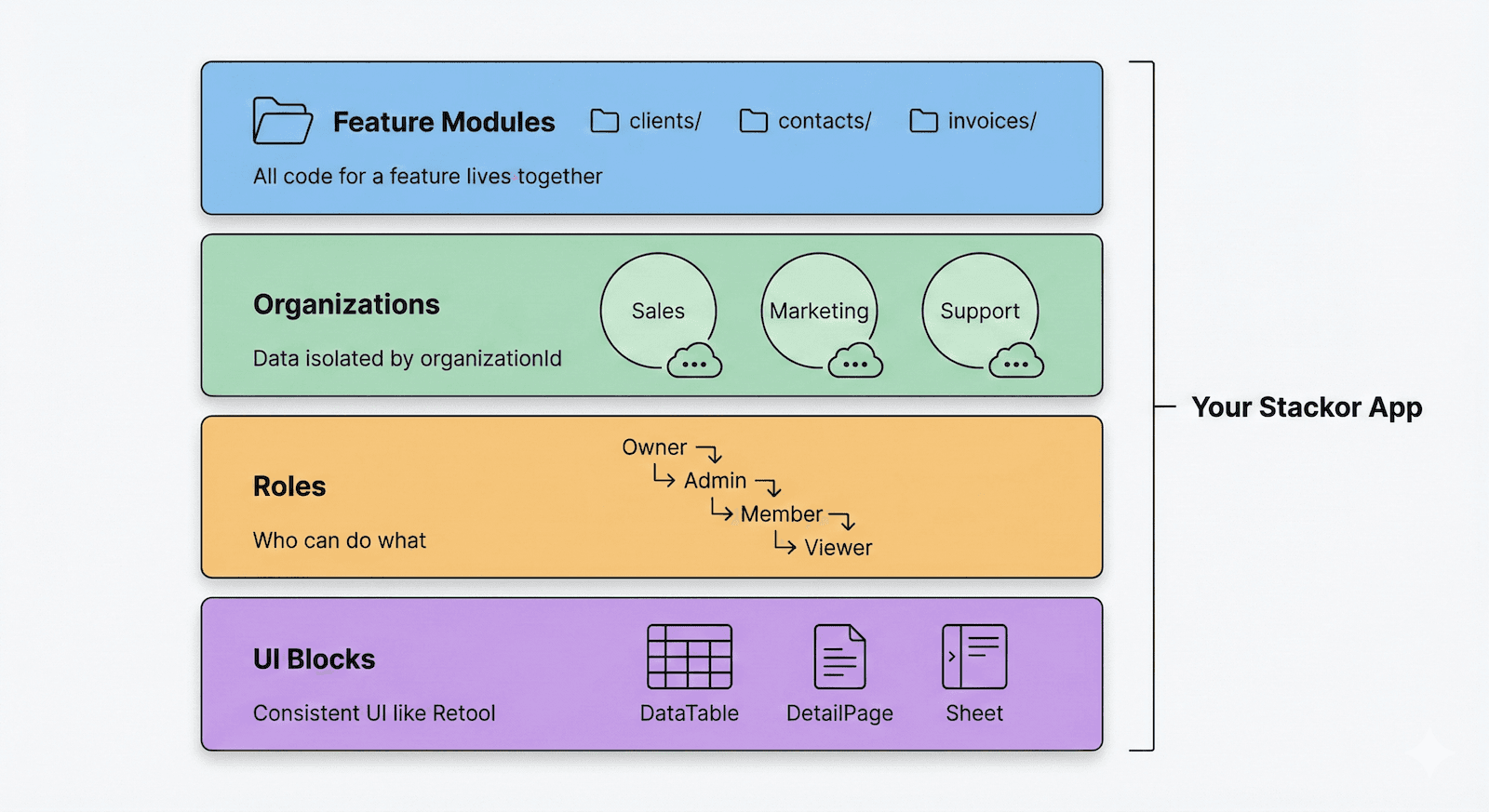
Imagine you're building a CRM. You need clients, contacts, activities, files. In Straktur:
-
Each feature is self-contained - All code for "clients" lives in one folder. Database queries, API endpoints, UI components - everything together.
-
Every record belongs to an organization - An organization can be a department, a regional branch, or the whole company. Data is isolated - Sales sees Sales data, Marketing sees Marketing data.
-
Roles control what users can do - Viewers can look. Members can edit. Admins can delete. Owners can manage the team.
-
UI blocks give consistency - Don't build screens from scratch. Use pre-built blocks: DataTable, DetailPage, DetailSheet. Every list works the same. Like Retool or Airtable.
What This Means for Your Prompts
When you ask AI to build something, these concepts shape the result:
| You say... | AI knows to... |
|---|---|
| "Add invoices feature" | Create folder in /src/features/invoices/ with queries, actions, validation, UI |
| "Show only user's invoices" | Filter by organizationId from session |
| "Only admins can delete" | Check hasMinRole(role, 'admin') before delete |
| "Add invoices list with filters" | Use DataTable with faceted filters, pagination, export |
Learn More
- Feature Modules - How code is organized
- Organizations & Roles - Multi-tenancy and permissions
- UI Building Blocks - Pre-built components for consistency